
01
Engineering in your browser
Create, save, and revisit intersection and corridor plans in a web workspace. Keep the project moving without a desktop installation.
WEB-NATIVE WORKFLOWIntersectionDesk is a web-based application for intersection and connected road network design, traffic analysis, and performance evaluation.
Design lanes and roadway connections visually, coordinate signals across intersections, and export the complete plan as a runnable Vissim network.
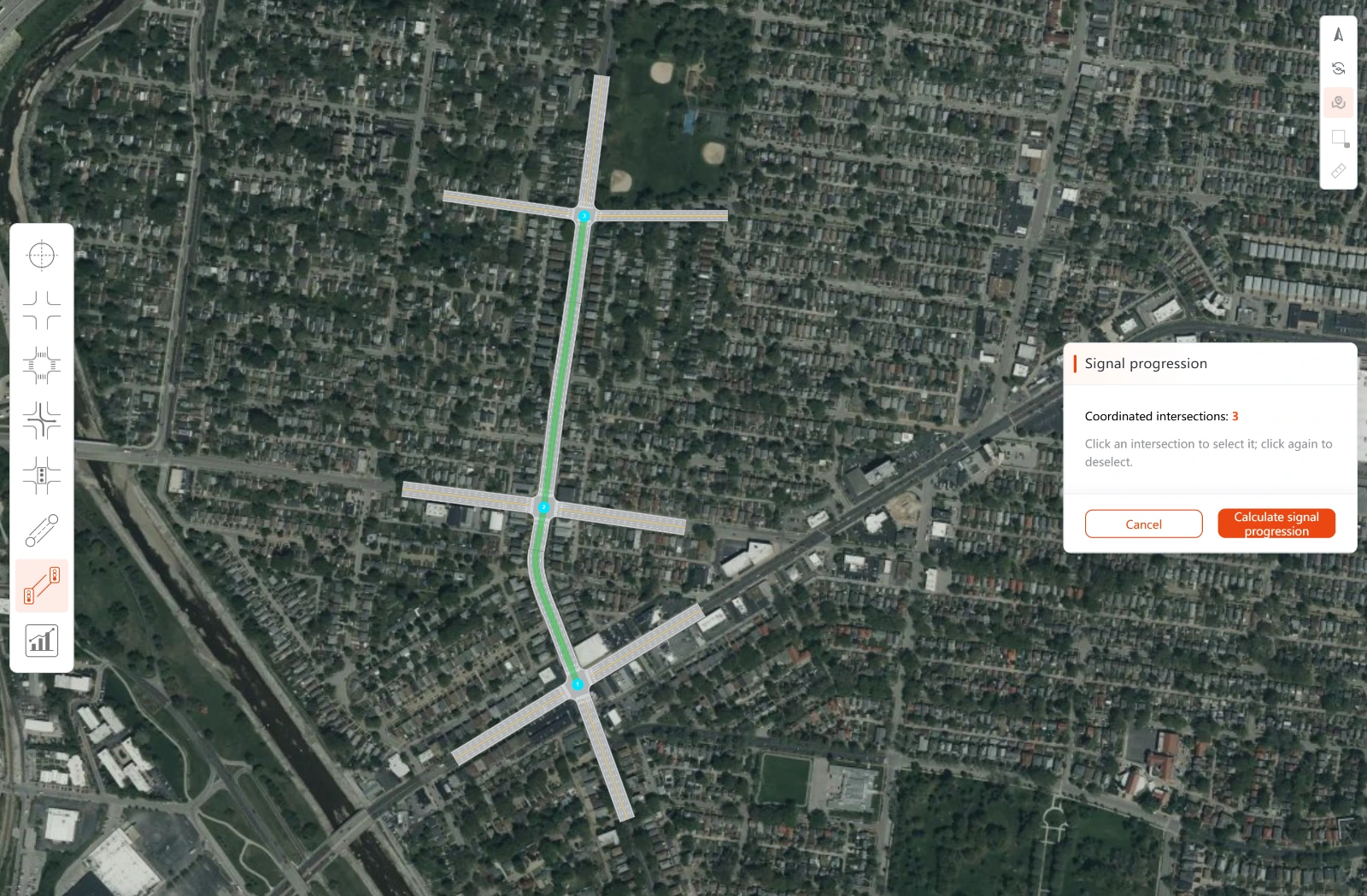
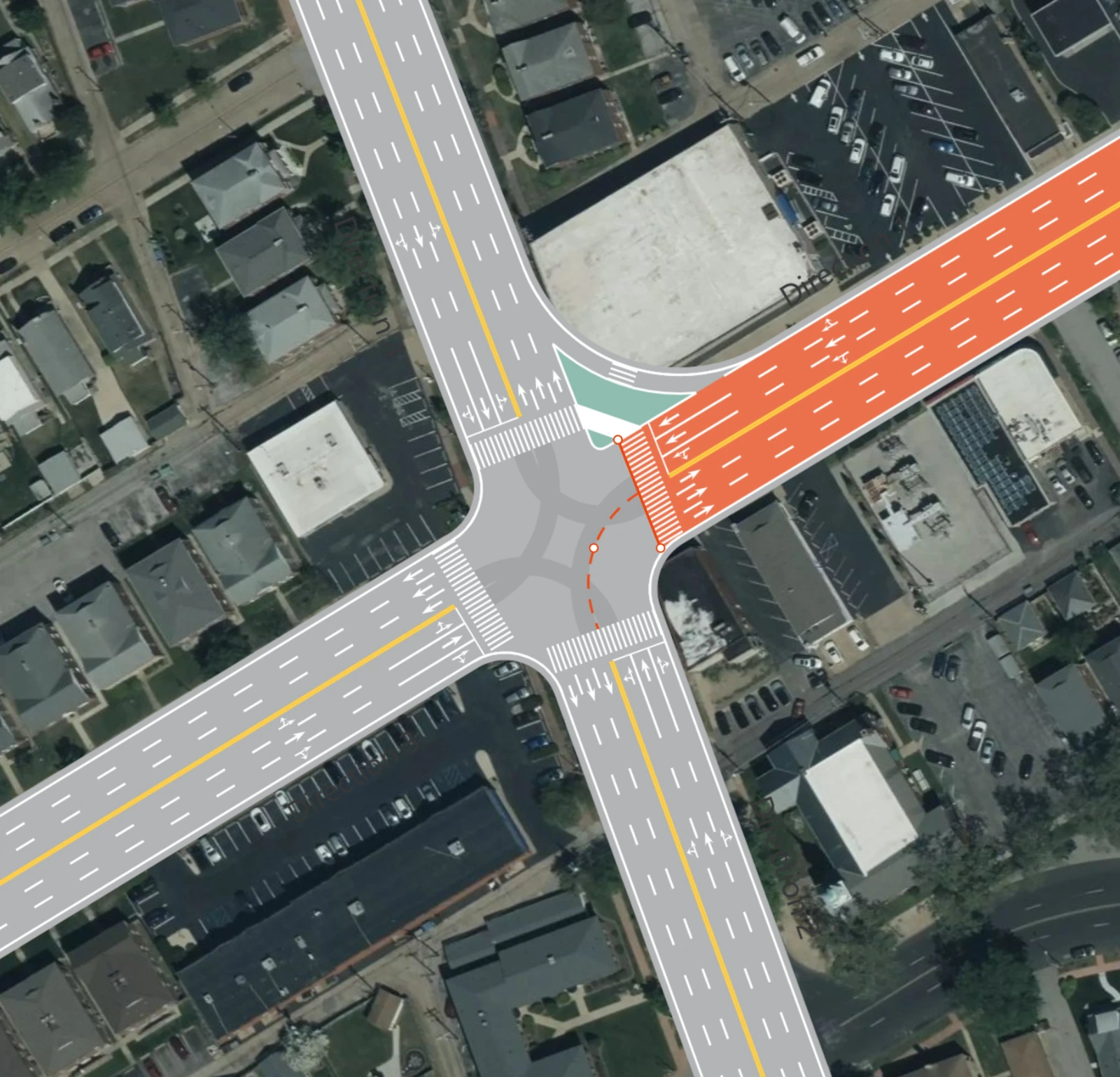
From a single junction to a connected network, carry design, signal control, and performance analysis through one workspace.
Engineering decisions need credible inputs and legible results. They should not require a heavy workflow.
Create, save, and revisit intersection and corridor plans in a web workspace. Keep the project moving without a desktop installation.
WEB-NATIVE WORKFLOWConnect intersections with roadway links on the satellite map, refine lane-level geometry, and inspect the whole network as one plan.
VISUAL MULTI-INTERSECTION DESIGNExport a completed plan as a runnable Vissim network with lanes, connectors, demand, signal control, and optional satellite imagery.
FROM DESIGN TO SIMULATIONFrom one intersection to a connected network, the same plan carries geometry, demand, timing, and performance through to simulation.
Connect intersections, set coordinated movements and travel speeds, and search cycle lengths and offsets. The time-space diagram makes two-way bandwidth visible.
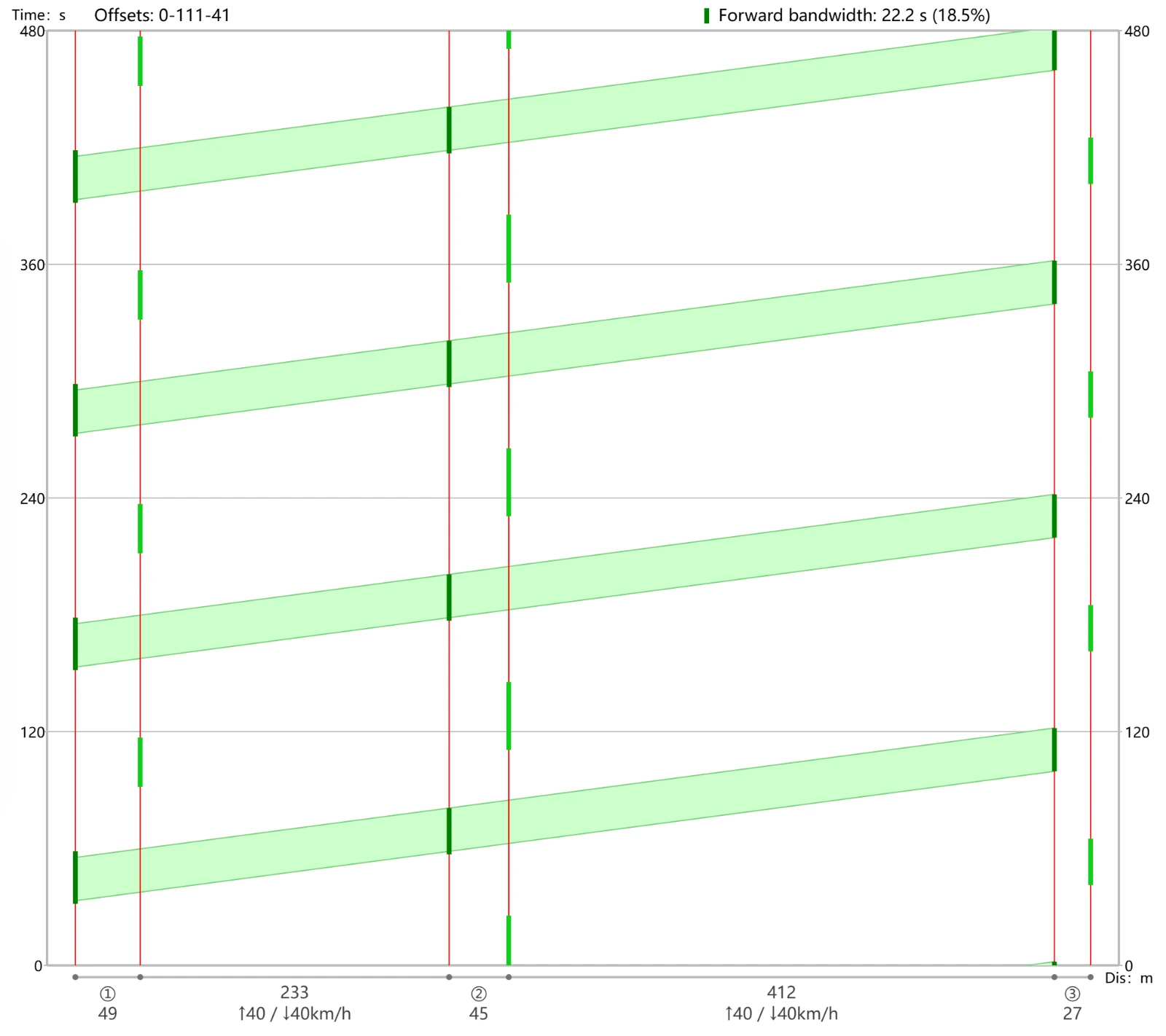
Move from turning demand and signal phases to delay, queues, v/c ratios, and level of service. Trace a network result back to the movements that shape it.
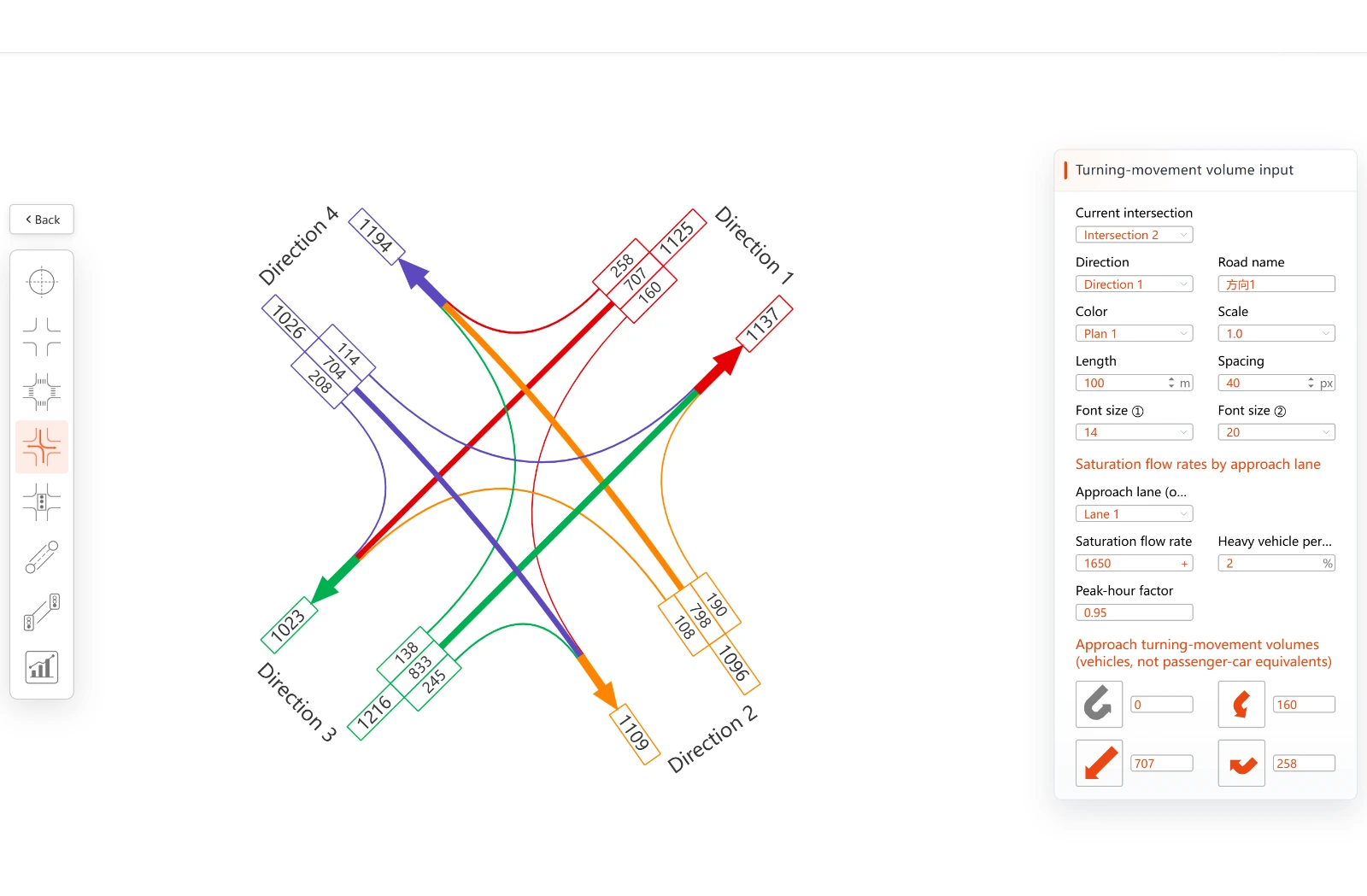
Read approach demand in context with lane geometry and lane-specific saturation-flow inputs.
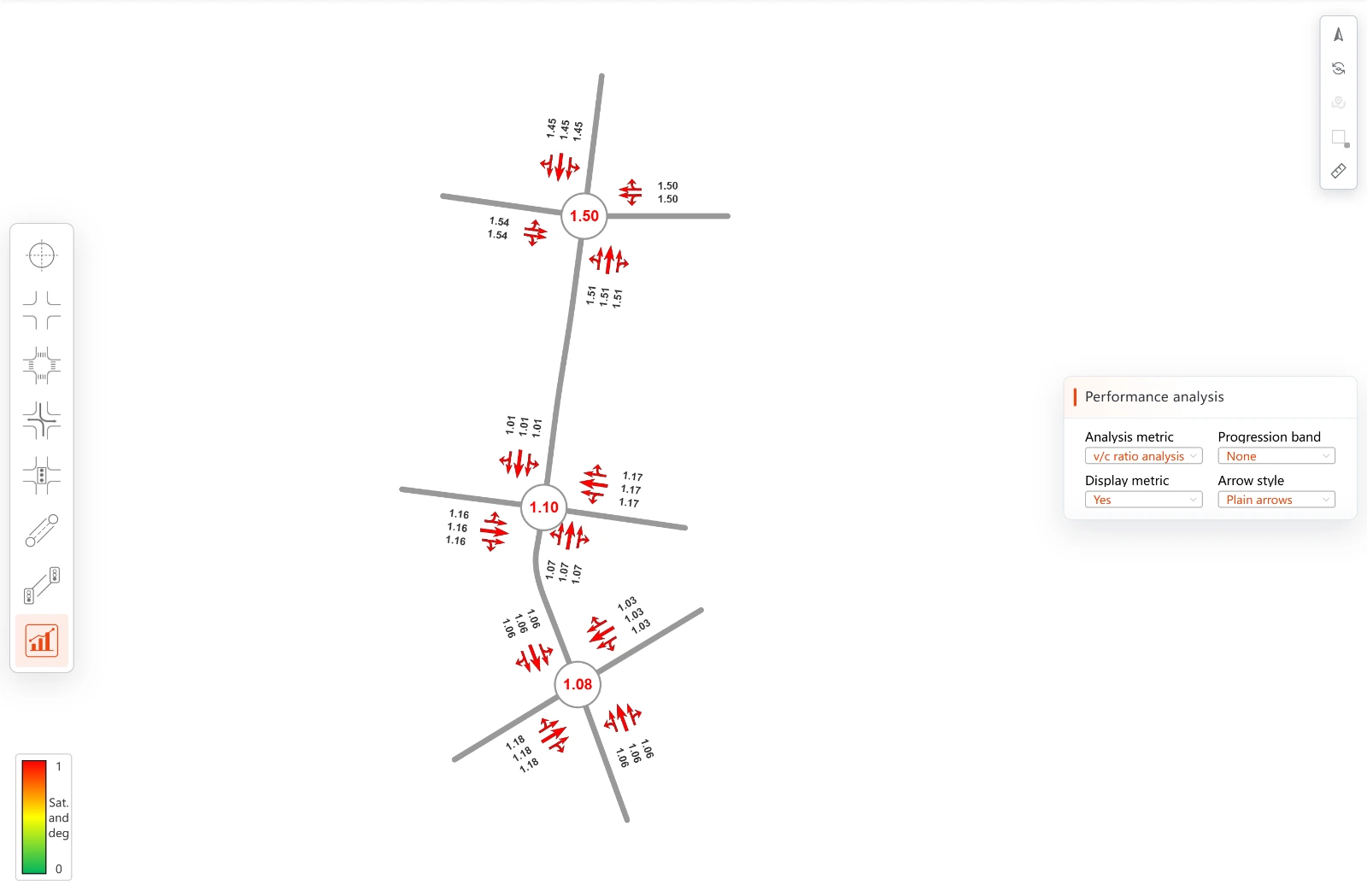
Compare network and movement-level results with HCM-informed planning estimates for delay and LOS.
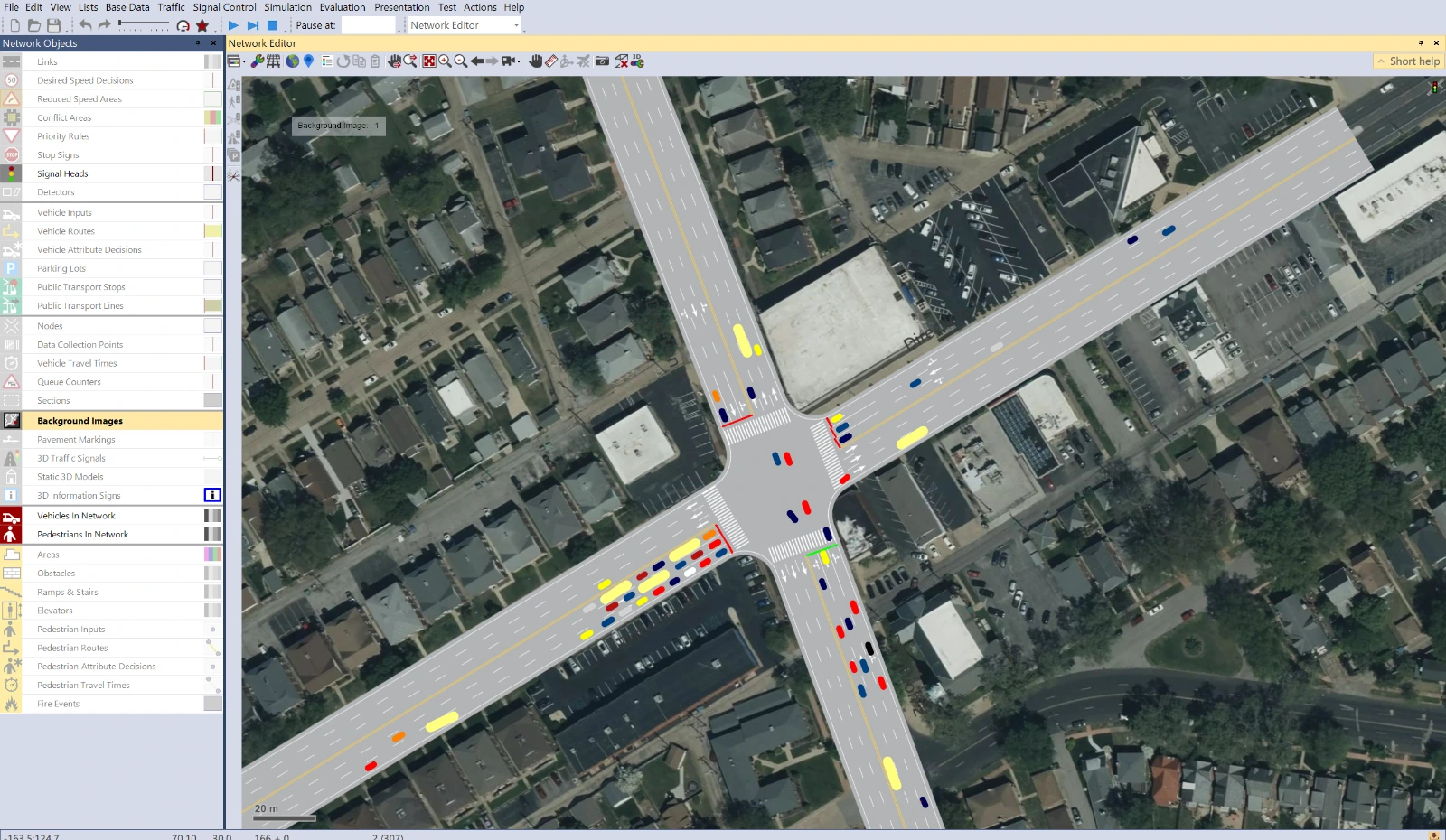
Turn a completed corridor plan into a runnable Vissim network in minutes. Lanes, connectors, turning demand, routes, signal files, and optional satellite imagery travel together, so validation can start sooner.
Place intersections, shape lanes, and enter turning demand.
Build phases, refine timing, and optimize the green band.
Inspect delay, queues, v/c ratios, and level of service.
Export the network and validate it in Vissim.
Choose the subscription or deployment model that fits your organization and keep the same connected engineering workflow.